Introduction
For Ruby and the Lost Crystals, I implemented a hybrid animation system combining Motion Matching and State Machines in Unreal Engine. The goal was to create smooth and organic animations for the character while maintaining precise control over specific actions like interacting with objects or shooting.
One of the main challenges we faced was the integration of the character model, which arrived late in production due to an extended design phase. Additionally, since this model was the most complex in the project, its creation took more time. I had to implement all the animations in just one week, which led us to adopt this hybrid model. This choice allowed us to save time while maintaining a satisfactory level of quality for the animations.
Motion Matching and State Machine: Definitions
A State Machine is an animation system based on predefined transitions between different states. Each state represents a specific animation (such as running, jumping, shooting), and conditions are defined to transition from one to another. The main advantage is precise control over animation flow.
Motion Matching is a technique that dynamically selects the most appropriate animation based on the player’s inputs and the character’s current state. Unlike State Machines, it analyzes a database of animations and chooses the most fluid one in real-time based on speed, direction, and posture. It offers smooth transitions but requires a large amount of animation data.
Basic Implementation and Testing
At the beginning, I set up Unreal Engine’s default State Machine using the base template. I used placeholder assets to test movement mechanics quickly. For this, I used Mixamo’s auto-rig system, but encountered issues: some animations didn’t work due to incompatible rigs.
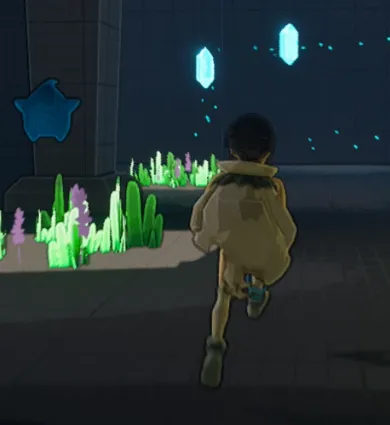
Floating feet visual bug
To evaluate Motion Matching, I used a separate Unreal project. By replacing the placeholder with our custom model, we confirmed rig and retargeting issues due to proportion mismatches.
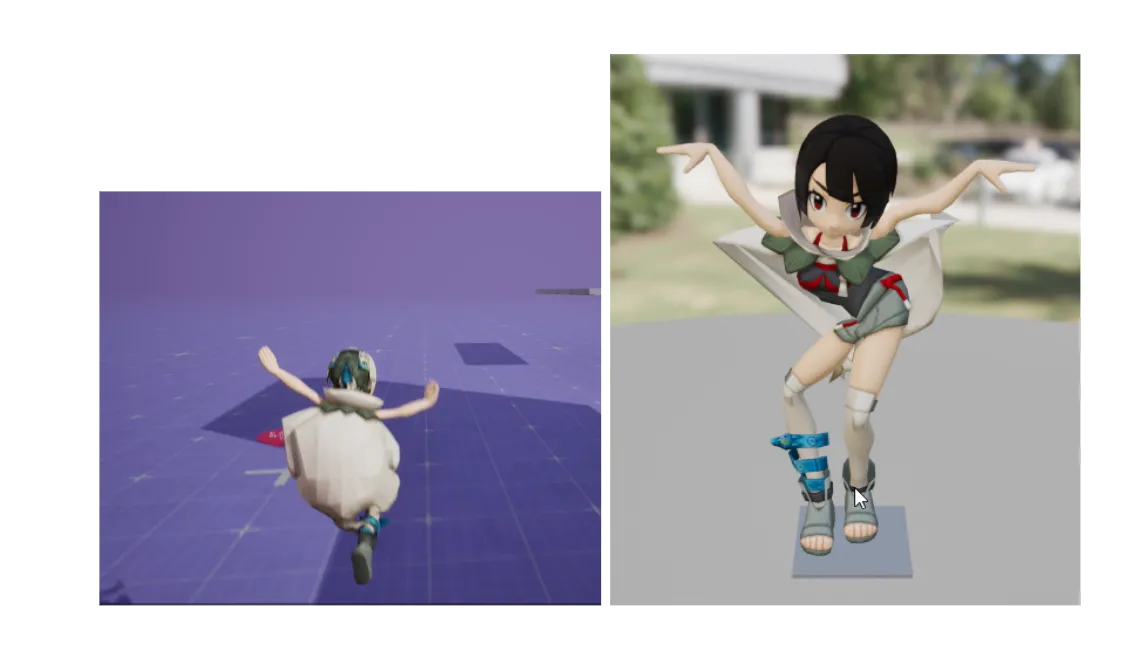
Weird hand gesture on the Motion Matching template
Custom Model, Rigging and Retargeting
The character was auto-rigged using a plugin compatible with the Unreal mannequin skeleton. A ‘root’ bone was essential to enable root motion (movement of the character based on animation data).
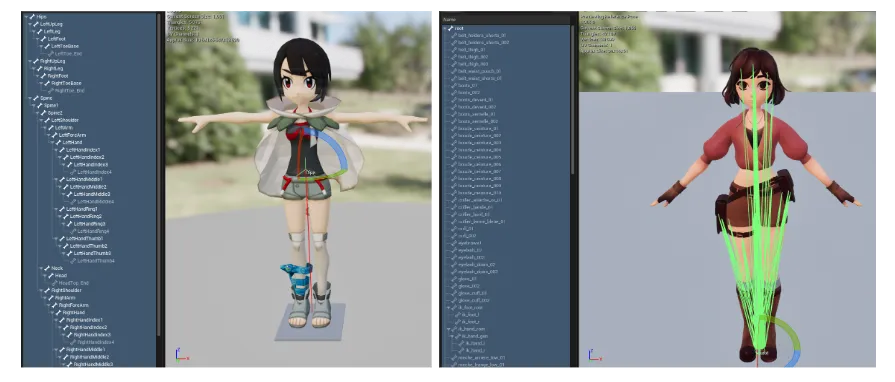
Mixamo and Plugin auto rig comparaison
We used Unreal’s retargeting tools to adapt template animations to our custom model. Special care was needed for hands and fingers, which were manually adjusted to match the original pose.
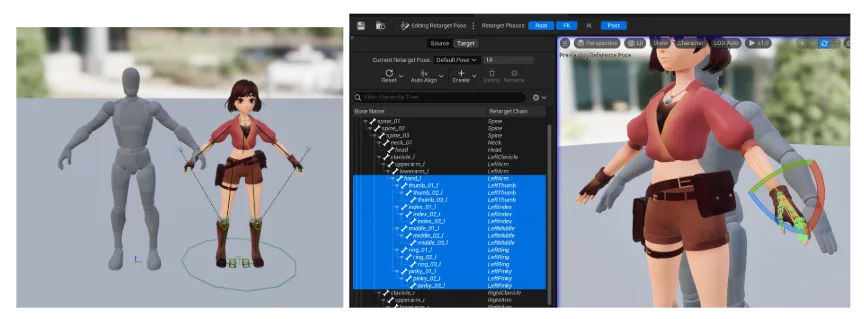
Retargeting windows
Motion Matching for Locomotion and Jump
Motion Matching integrates with Unreal’s Movement Component and the player blueprint, allowing the system to choose animations based on real-time input. For instance, we used ~250 animations for running alone.
We created Pose Search Databases for each animation state.
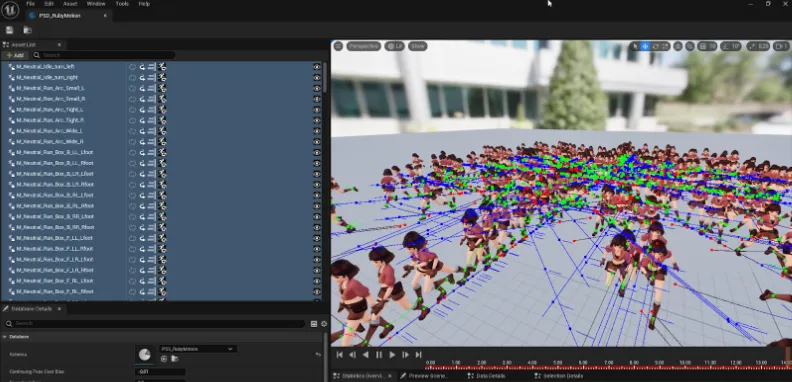
Pose Search Databases window
Jumping was problematic. Full Motion Matching failed for jump loops and landings, so I isolated the jump start into its own state using Motion Matching, while falling and landing were handled by a State Machine.
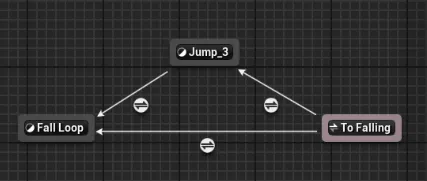
Jumping State Machine
State Machines for Specific Actions
Some actions required precise control, justifying the use of State Machines:
- Interactions: like pushing capstans, used simple transitions.
- Aiming: limited to specific bones, like the upper body.
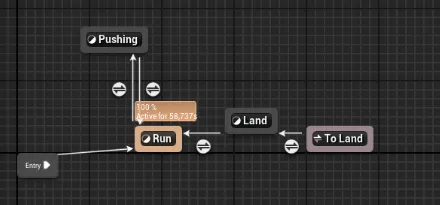
Motion to Push State Machine
Some animations were manually adjusted to fix coherence and transitions.
For aiming, I used Layered Blend per Bone, which blends animations based on specific skeleton parts — e.g., aiming with the upper body, running with the lower body.
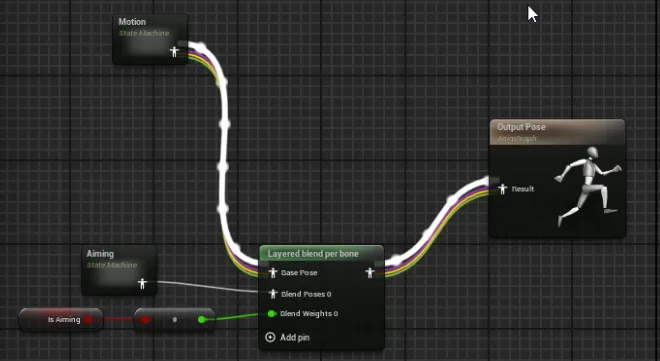
Layered blend per bone node in State Machine
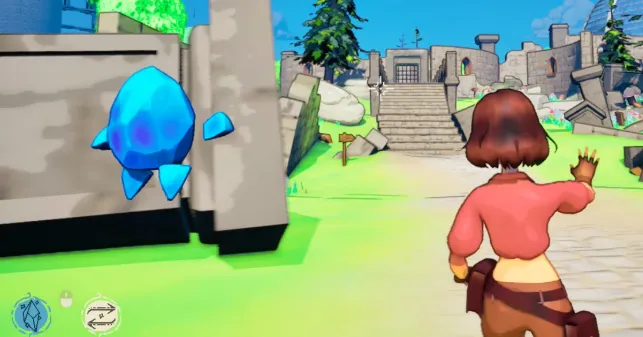
Aiming in movement
Conclusion
By combining Motion Matching for locomotion and State Machines for specific actions, I built a hybrid system leveraging both approaches.
A key limitation was the visual gap between the fluid Motion Matching and rigid jump animations, but we prioritized functionality over aesthetics due to time pressure.
This method offers:
- Smooth, responsive movement
- Precise control for interactions
- But also: high data needs, setup complexity for Motion Matching vs. simplicity and control from State Machines.
In the future, I’d like to improve jump detection and landing transitions to unify visual quality.
Thank you for reading my blog post.
